




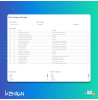
Manage product categories in bulk from a single screen. Add or remove products from categories quickly without editing products one by one. Compatible with PrestaShop 1.7 and 8.
Manage product categories in bulk from a single screen. Add or remove products from categories quickly without editing products one by one. Compatible with PrestaShop 1.7 and 8.
In PrestaShop, assigning products to categories usually requires editing products one by one, which can be time-consuming for large catalogs.
knbulkcategorymanager solves this by allowing you to add or remove products from categories in bulk, from a single, easy-to-use back office interface.
The module lets you search, filter, and select products, then assign or remove them from multiple categories in one action, saving time and reducing manual work.
Bulk management of product categories
Add products to categories in bulk
Remove products from categories in bulk
Search products by name or ID
Filter products by category
Clear product list with assigned categories
Apply changes in a single action
From a single screen, you can:
Search products by name or ID
Filter products by category
Select multiple products
Choose categories to:
Add
Remove
Apply changes instantly
No need to edit products individually.
Saves time managing product categories
Ideal for large catalogs
Reduces manual errors
Improves back office productivity
Simple and efficient workflow
Compatible with PrestaShop 1.7.x and 8.x
Multistore compatible
Multilingual ready
Fully integrated into the back office
No customer reviews for the moment.